


Start an activity to acquire or maintain a territory for the selected Myterry. If an activity is in progress but has been suspended, you can resume it.
Starting a Myterry Activity
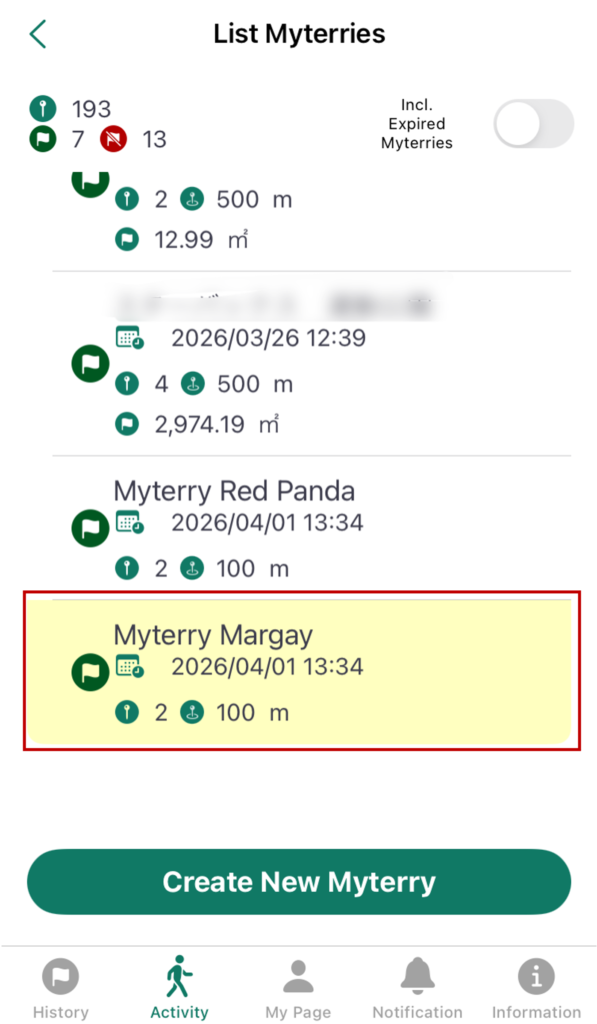
To start a Myterry activity, select the Myterry you want to work on from the “Myterry List.”
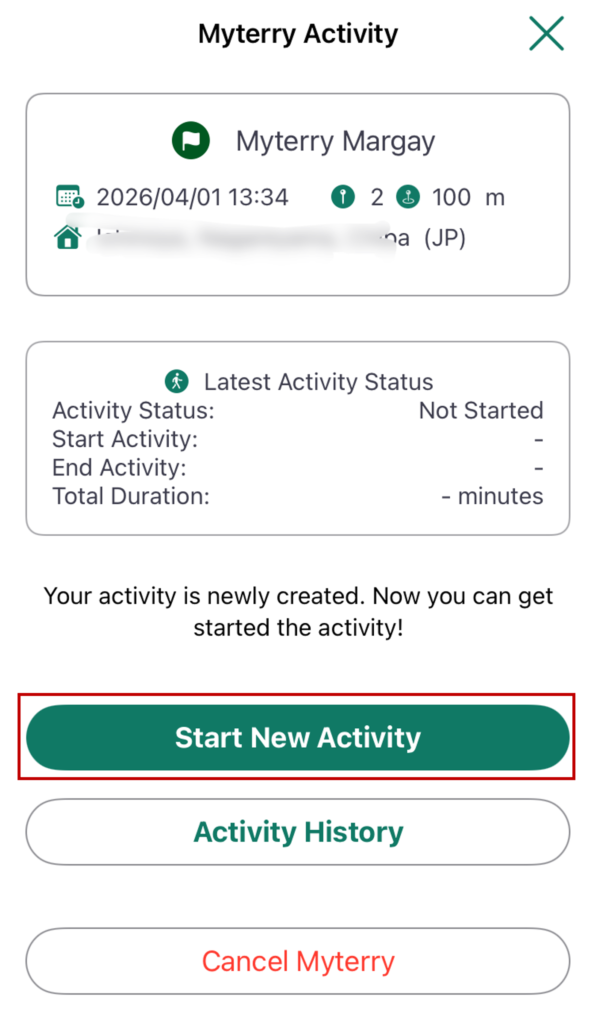
The current status of your Myterry activity will be displayed.
Check the “Activity Status” under “Recent Activity Status.” The name of the button to tap will vary depending on the status.
- Not Started: Tap “Start New Activity.”
- Active: Tap “Continue Activity.”
- Suspended: Tap “Resume Activity.”
Only the statuses listed above allow you to start an activity. In all other cases, the green button to begin will not be displayed.
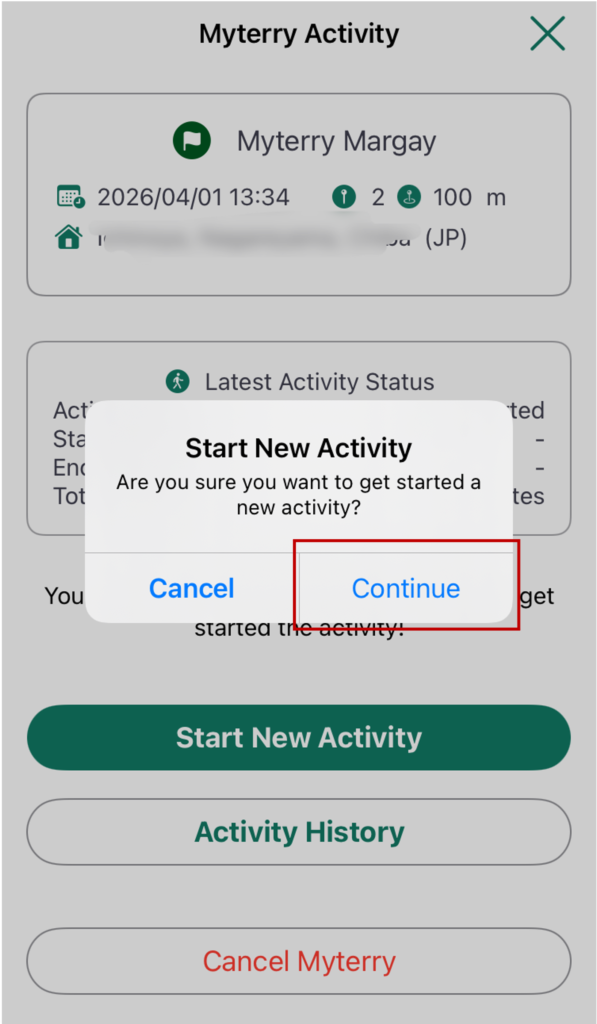
A confirmation pop-up message will appear. Tap “Continue” to start the activity.
Note: The confirmation message differs depending on whether the status is Not Started, Active, or Interrupted. This pop-up is shown here as it appears for the Not Started status.
The activity will now begin (or resume), and your Myterry activity will become active.
How to Use
- Creating Your Account
- Reset or Change Password
- Main Menus
- Myterry Activities
- Myterry Features
- Points
- Delete Account